Blog
Blog
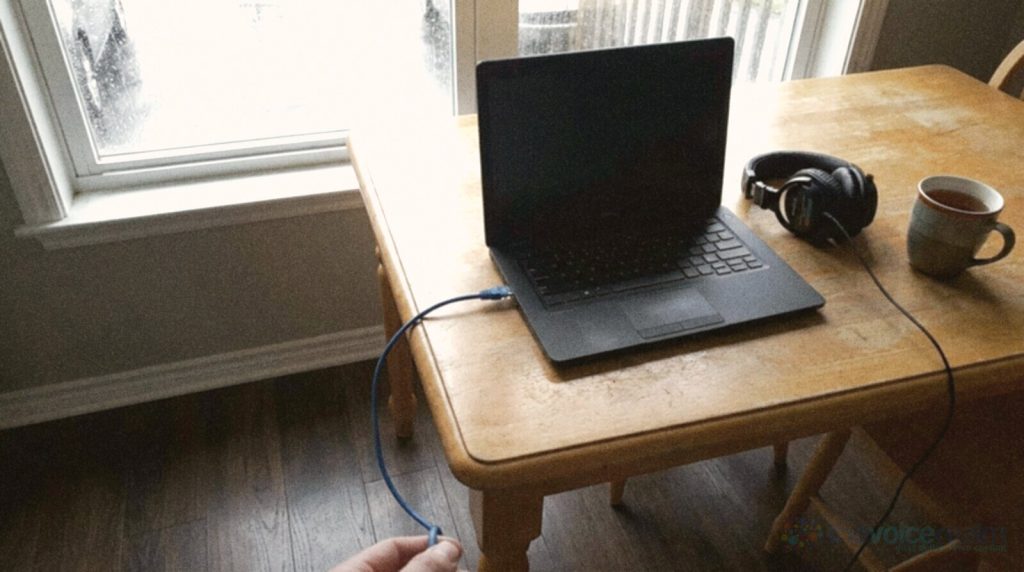
You’ve got a microphone with a chunky XLR socket on the bottom and a laptop with no socket that fits it. Somewhere in between sits a small box called an audio interface, and buying the wrong one is one of the easiest ways to waste money on a home studio.
This guide is for voice actors putting together a first proper set-up, and for anyone who’s started on a USB microphone and wonders whether it’s time to move on. It explains what an interface actually does for a voice, the one number on the spec sheet that matters most, which buttons you’ll use every day, and the features you can happily skip. No brand loyalty, no wall of specs. Just what a voice needs.
Three jobs in one small box
An audio interface does three things, and it helps to picture them in order.
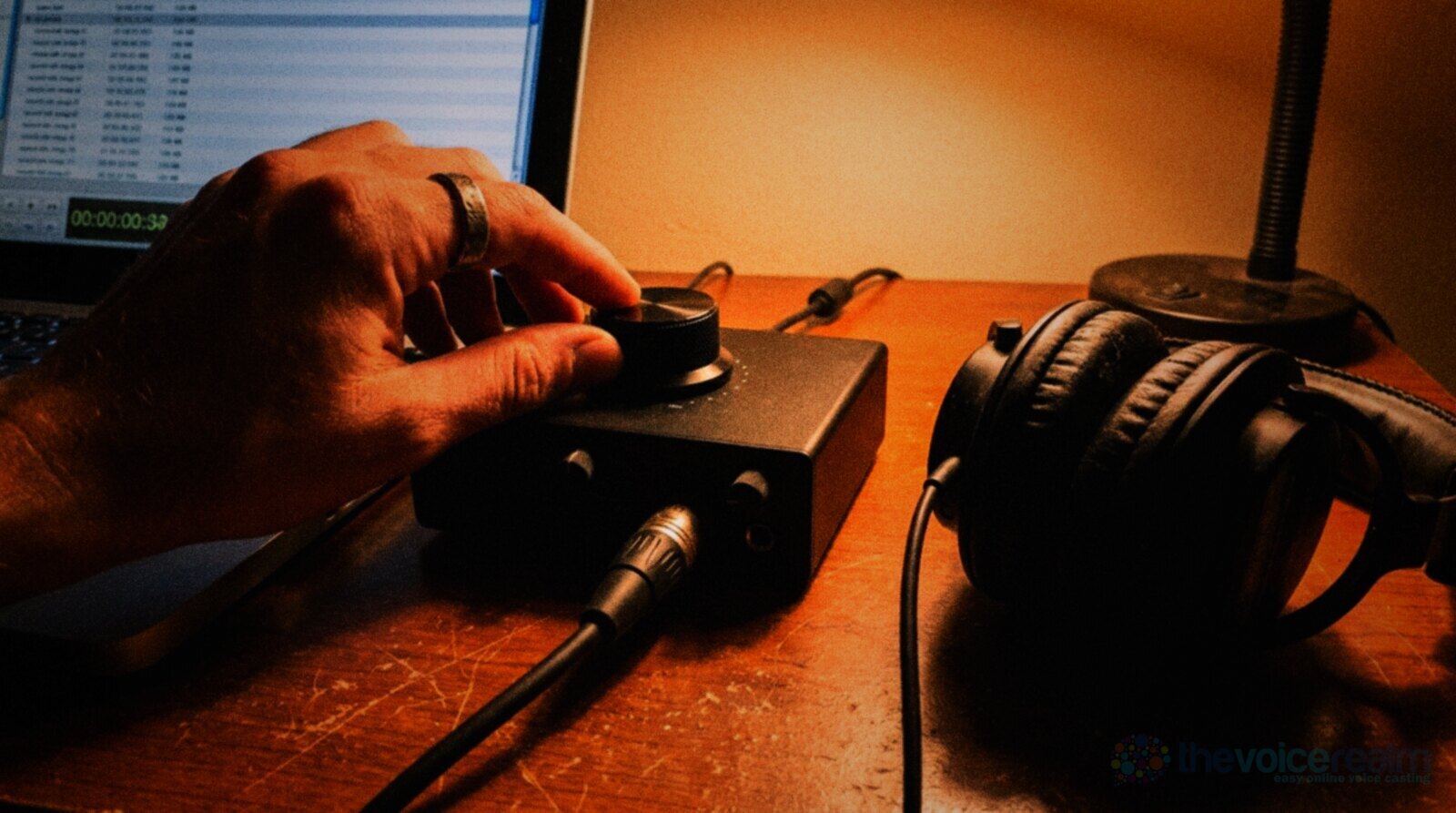
First, it amplifies. A microphone puts out a tiny electrical signal, far too weak to record. The interface has a preamp inside, and the gain knob on the front decides how much it lifts that signal. This is the part that shapes your noise floor more than anything else in the box.
Second, it converts. Once the signal is big enough, a converter turns it into numbers the computer can store, at the sample rate and bit depth you choose. For most voice work that’s 48 kHz and 24 bit.
Third, it brings the sound back. The interface has its own headphone amplifier, so you can hear yourself and play back takes through closed-back headphones. Most also have a way to send your voice straight to your ears before it reaches the computer, which matters more than it sounds, and we’ll come to it.
Everything else on the front panel is a variation on those three jobs. Once you see it that way, product pages get a lot less confusing.
© The Voice Realm
Do you need one at all?
Not always. A USB microphone has all three jobs built in: preamp, converter and often a headphone socket, inside the mic itself. Plug it into the laptop and you’re recording. For a beginner testing the water, that’s a perfectly sensible start.
The trade is flexibility. With a USB mic, the microphone and the electronics are one object. When you want a different mic, you replace the lot. With an XLR mic and an interface, you can keep the interface for years and change microphones around it, or try a friend’s mic for an afternoon. Our guide to choosing between a dynamic and a condenser mic covers that side of the decision.
One cable, one object
Quick to set up and easy to travel with. The mic, preamp and converter are sealed in one body, so an upgrade means replacing everything. Fine for learning and for auditions from a quiet room.
Two parts, more choice
A little more to buy and plug in. You choose the mic for your voice and the room, keep the interface when you change mics, and get proper control over gain and monitoring.
If you’re taking paid work regularly, most voice actors end up on XLR and an interface. USB can sound lovely. The separate parts simply let you fix one weak link without starting again.
Gain is the number that matters most
If you read one line of an interface’s spec sheet, make it the maximum gain of the mic preamp, measured in decibels. Here’s why it matters for voice in particular.

© The Voice Realm
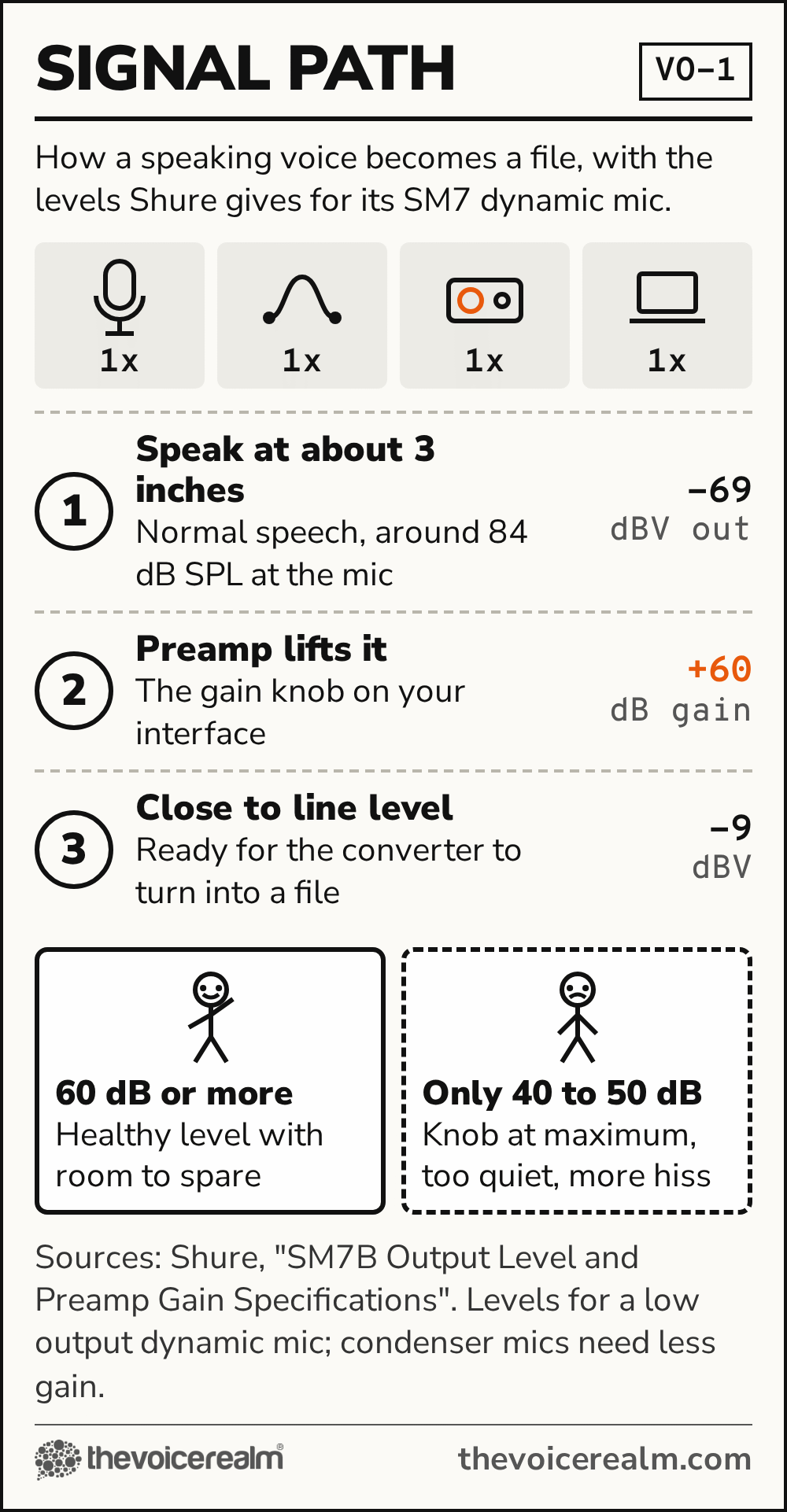
Condenser microphones are sensitive and put out a strong signal. Dynamic microphones, which many voice actors choose for untreated rooms, put out much less, so the preamp has to work harder. Shure, writing about its own SM7 broadcast mic, puts it plainly: “When selecting a preamp for the SM7 for voice-over work, make certain the preamp has a minimum 60 dB of gain.”
Shure’s support team gives the sum behind that. Normal speech at about three inches gives roughly -69 dBV out of the mic, and 60 dB of gain brings it up to around -9 dBV, close to the level the rest of the chain expects. The catch, in Shure’s words: “it is common to find mic preamps, mixers, and interfaces with gains of only 40 to 50 dB.” On one of those, a quiet dynamic mic leaves you turning the knob all the way up, where cheap preamps add the most hiss.
Sound On Sound’s technical editor Hugh Robjohns answered the same worry from a reader, and his reply is a good reminder that this isn’t magic: “The short answer is ‘yes’, but the longer answer involves some sums.” The sums depend on how loud you speak and how close you work. A narrator reading softly at a hand’s width needs more gain than a promo voice working close and loud.
So the practical rule is simple. With a condenser mic, almost any modern interface has gain to spare. With a low-output dynamic mic, look for around 60 dB or more of usable gain, or budget for an inline booster, which we’ll come to in a moment. Then set your levels properly; our piece on recording quieter than you think walks through it in five minutes.
Phantom power: the 48V button
Every interface worth buying has a button marked 48V. It sends power up the microphone cable, and condenser mics need it to work at all. Shure describes phantom power as “the process of delivering DC (Direct Current) to microphones requiring electric power to drive active circuitry.”
Dynamic microphones don’t need it, and new users often worry that pressing the button will fry one. Shure’s answer: “applying phantom power will not damage other microphones in the vast majority of cases.” It adds a caution worth taking seriously if you ever own a vintage or ribbon mic, which is to check the manual first.
Two habits will keep your gear and your ears happy. Switch phantom power off before you plug or unplug a microphone; Shure suggests this “to prevent any potential power surge and general pops and loud noises.” And turn your headphones down before you switch it on or off, because the thump is loud.
One more reason the button matters even if you own a dynamic mic: those inline boosters. Shure lists them as “phantom powered in-line preamps” and says they “add 25-28 dB of additional gain.” They sit between the mic and the interface, and they run on the interface’s 48V. Interface first, booster second, and keep phantom power on for the booster.

© The Voice Realm
Hearing yourself without the echo
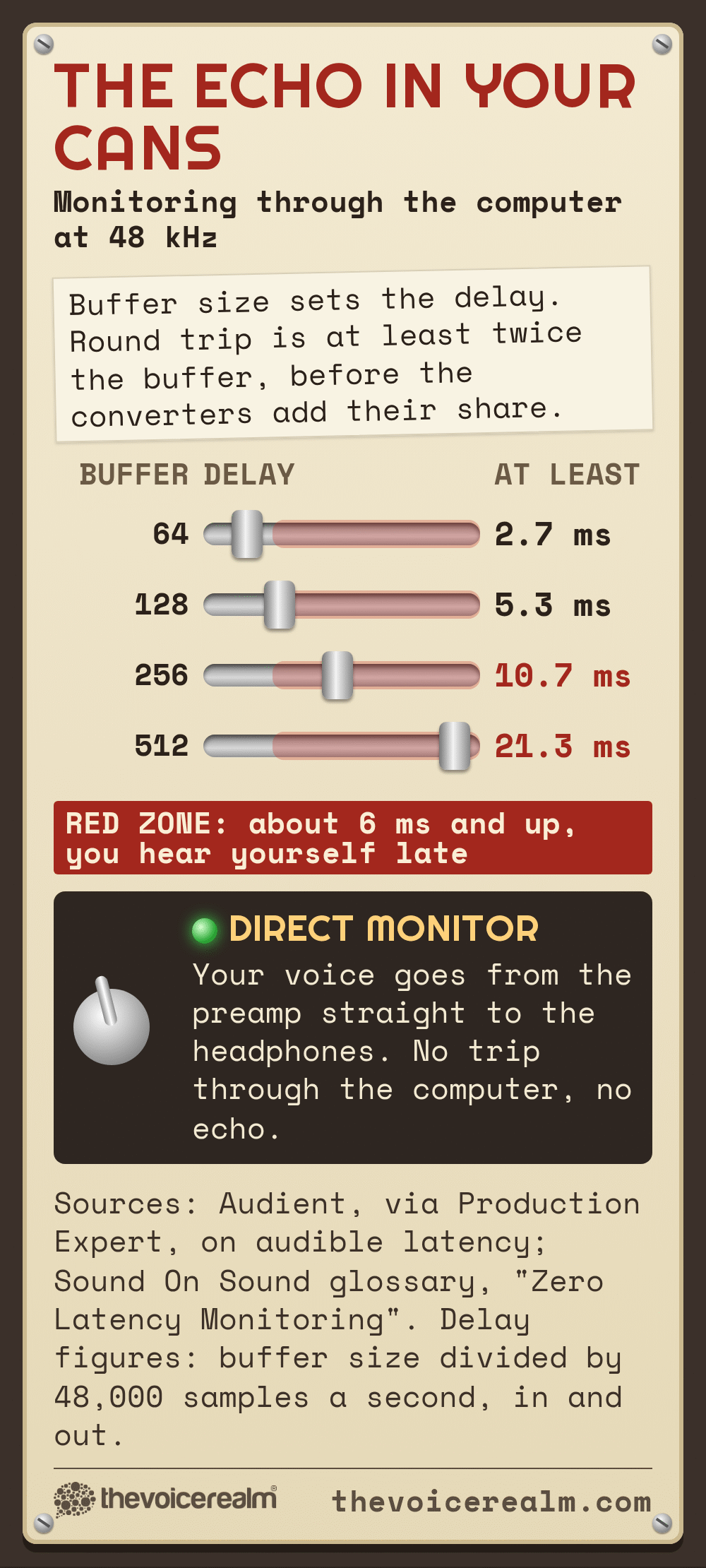
Here’s a problem nobody warns you about. When you listen to yourself through the recording software, your voice has to travel into the computer, get processed and come back out. That round trip takes time, and you hear your own voice a fraction late.
 VOICEMASTERACADEMYTwenty modules, one at a time.Breath controlHome studioCommercial techniqueAuditionsStart module oneNo experience needed.
Audient, which makes interfaces, explains how little delay it takes to notice: “Our ears can be quite sensitive to this latency, typically anything around 6ms will be audible as a delay.” For a voice actor, a late echo in the headphones is distracting at best. At worst it makes you slow down or stumble without knowing why.
The fix is a feature called direct monitoring, sometimes labelled zero latency monitoring. Sound On Sound’s glossary describes it as a function “which passes the input signals directly to a local monitoring output, where it can be combined with any required replay signals from the computer.” In plain terms, your voice goes straight from the preamp to your headphones, and you hear it instantly.
On some interfaces it’s a button. On others it’s a knob that blends between your live input and the computer’s playback. Either works. What you want to avoid is an interface with no direct monitoring at all, which forces you to lower the computer’s buffer size and hope for the best. If you’re choosing headphones at the same time, our guide to sealed headphones that don’t leak into the mic pairs well with this section.
© The Voice Realm
Features worth paying for, and ones you can skip
Interfaces are sold mostly to musicians, so the product pages lean on things a band needs. A voice actor recording one voice at a time can ignore a lot of it.
One input or two? One microphone input covers nearly all voice work. A second input is handy if you ever record a two-hander with another actor in the room, or want a spare, but it isn’t a reason to spend more.
Loopback. This lets the interface send computer audio, such as a director on a call, into your recording software or back to the call. If you do live directed sessions over the internet, it can save a lot of fiddling. Our guide to getting ready for a remote session explains where it fits.
A separate headphone volume knob. Worth having. You’ll want to change what you hear without touching your recording level, and an interface that shares one knob for both makes that awkward.
Sample rates above 48 kHz. Nearly every interface offers 96 or 192 kHz. Voice clients rarely ask for them, and higher rates mean bigger files and a harder working computer. Our article on the audio specs behind every voice over file explains what clients really expect.
Lots of inputs, built-in effects, MIDI sockets. Skip them unless you also make music. They add cost and clutter, and none of them make a voice sound better.
A note on drivers, the small piece of software that lets the computer talk to the interface. Before you buy, check the maker’s website lists current drivers for your operating system. Many interfaces work on a Mac without any, while Windows users usually install one. An interface the computer won’t recognise is just an expensive paperweight.
© The Voice Realm
Day one: set it up and test it
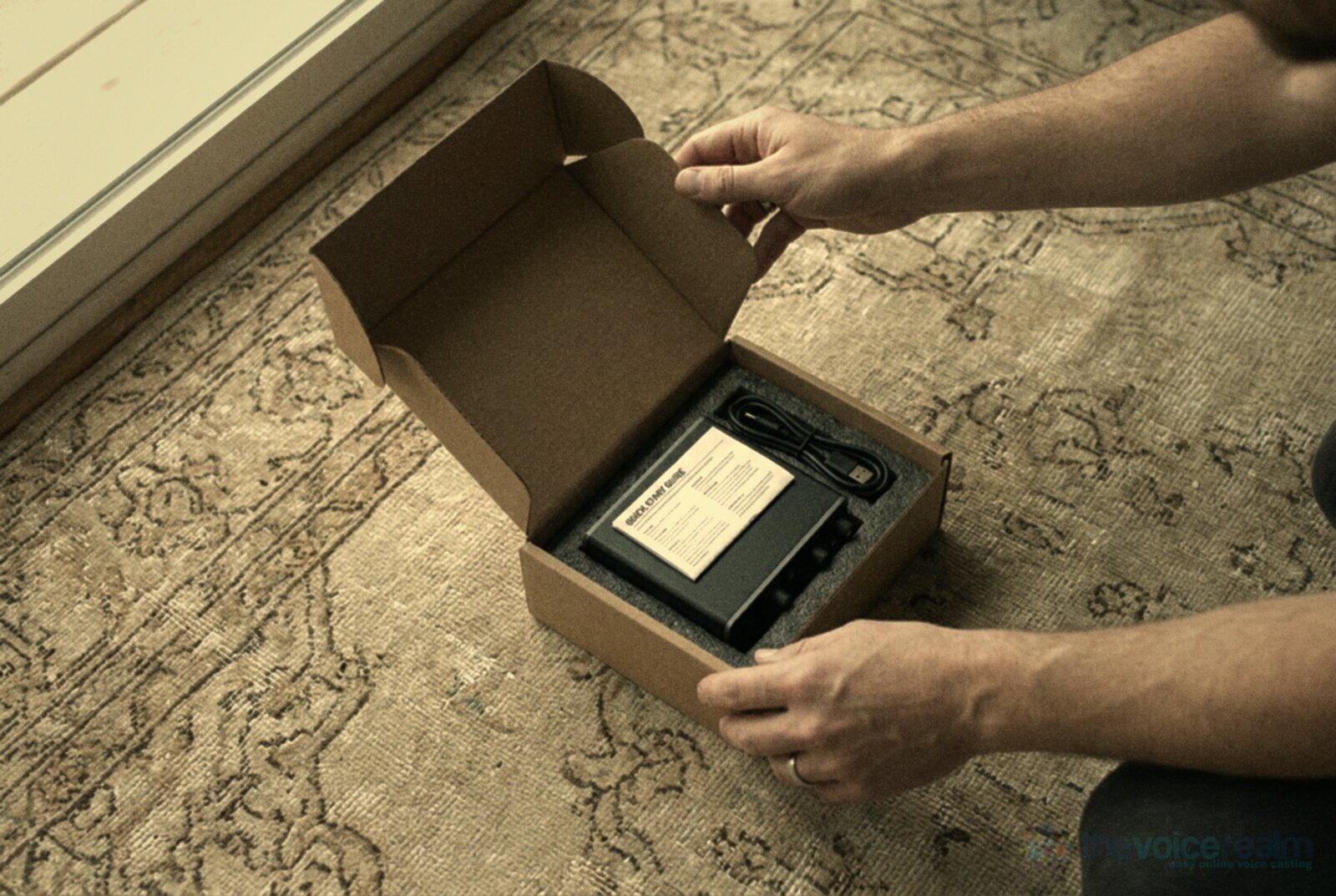
When the box arrives, resist the urge to start recording straight away. Twenty minutes of setting up saves weeks of puzzling over files.
Plug the interface into the computer directly, not through a hub, and pick it as both the input and output in your recording software. Set the project to 48 kHz and 24 bit. Plug in the mic with phantom power off, then switch on 48V if your mic or booster needs it, headphones down while you do.
Turn on direct monitoring, put the headphones on, and read the loudest line in your script while you raise the gain. Stop when the loud bits peak comfortably below the top of the meter. Then record thirty seconds of silence in your room and listen back at a raised volume. That silence is your noise floor, and it tells you more about your set-up than any review. If it’s hissy and the gain knob is near maximum, you need more gain or a booster. If it’s boomy or echoey, the interface isn’t the problem; the room is. Voice Edit Suite’s free Home Studio Analysis will measure the room for you before and after you change anything.
Most music retailers let you return gear within a set period, so do this test early. An interface is meant to be the quietest, dullest part of your studio. When it’s right, you’ll stop thinking about it, and that’s exactly the point.
Sources: Shure, “SM7B Output Level and Preamp Gain Specifications” and “What is Phantom Power & Why Do I Need It?”; Hugh Robjohns, Sound On Sound, “Q. Will my mic preamp work with my Shure SM7B microphone?”; Sound On Sound, “Glossary: Zero Latency Monitoring”; Audient via Production Expert, “Understanding Audio Latency And How To Work With The Modern DAW”.
Ready to get booked?
See the jobs open right nowAbout Sarah Robbins
Sarah Robbins writes for The Voice Realm about finding voice over work, home studios, casting and the business side of voice acting.